

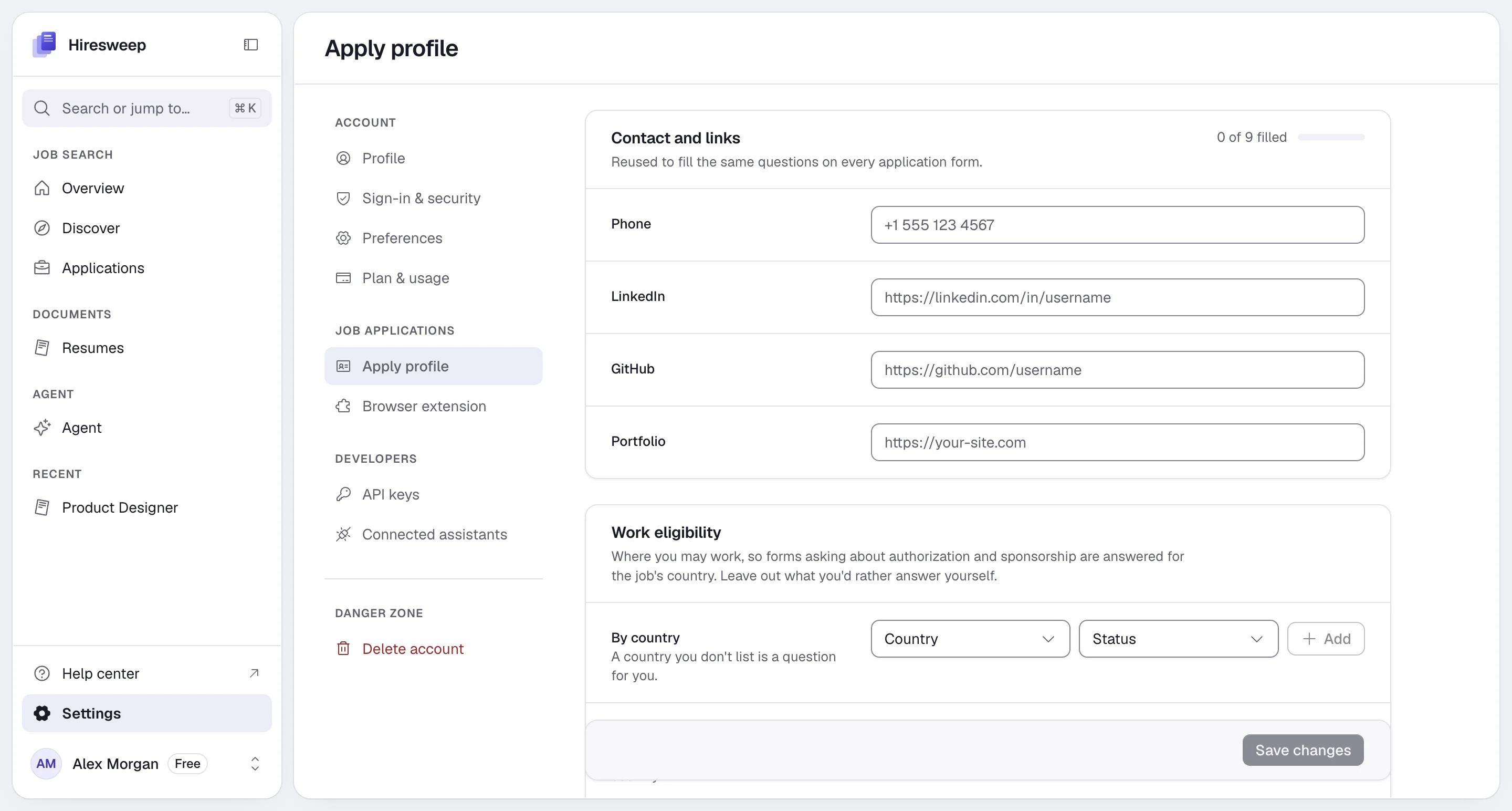
Contact and links
Phone, LinkedIn, GitHub and Portfolio. Your name and email come from the resume you send.Work eligibility
Add a row By country for each country you can work in (up to 15), with a Status:- Citizen
- Permanent resident
- Authorized, no sponsorship needed
- Needs visa sponsorship
- Not authorized
- Needs visa sponsorship, for forms that ask without naming a country.
- Other details, such as your visa type or its expiry.
- Security clearance and Driver’s license.
Location and availability
- Location, and your full address: Street address, City, State or region, Postal code and Country. Your location is also the default for job searches.
- Willing to relocate
- Earliest start date and Notice period
- Salary expectation
References
Select Add reference to add people who agreed to vouch for you, for forms that ask. Only the name is required. You can add up to five.Voluntary self-identification
US employers often ask about Gender, Race or ethnicity, Veteran status and Disability. These answers are used only when a form asks these exact questions, and each one is set to I don’t wish to answer until you choose otherwise.Sending applications
Submit mode decides whether a filled form waits for you. An application running in the background keeps the mode it started with.- Review: every filled form waits for you to check it and press submit. This is the default.
- Hybrid: sends only when the job’s match score is at least the Minimum match score (50 to 100, default 80) and the form asked you nothing.
- Automatic: sends every form it fills.
Saved answers
Answers to open questions you get asked often, such as why you want the role or how you heard about the company. Select Add answer to add one. You can keep up to 200. Answers you give while Hiresweep fills a form are added here automatically. Edit or remove them at any time.Save your changes
Select Save changes at the bottom of the page, or Cancel to throw your edits away.Operator accounts have one apply profile per client. Pick the client in Working for before editing. See
Working with clients.