# Installing the browser extension
> Add the Hiresweep extension to Chrome so Hiresweep can fill application forms in your own browser and read LinkedIn apply links.
The Hiresweep extension for Chrome does two things:
- **Fills application forms in your browser.** With **Fill in my browser** on an application, Hiresweep opens the employer's form in a new tab and fills it through the extension. See [Applying to jobs](https://docs.hiresweep.com/guides/applying-to-jobs#fill-in-my-browser).
- **Finds the employer's apply link behind LinkedIn jobs.** LinkedIn shows that link only to signed-in members, so the extension reads it in the browser where you are already signed in. Only the link leaves your browser.
The extension works in Chrome on a computer. It doesn't run on phones or tablets.
## Install it
Open **Settings → Browser extension**, under **Job applications**. The **Hiresweep for Chrome** row shows whether the extension is installed.
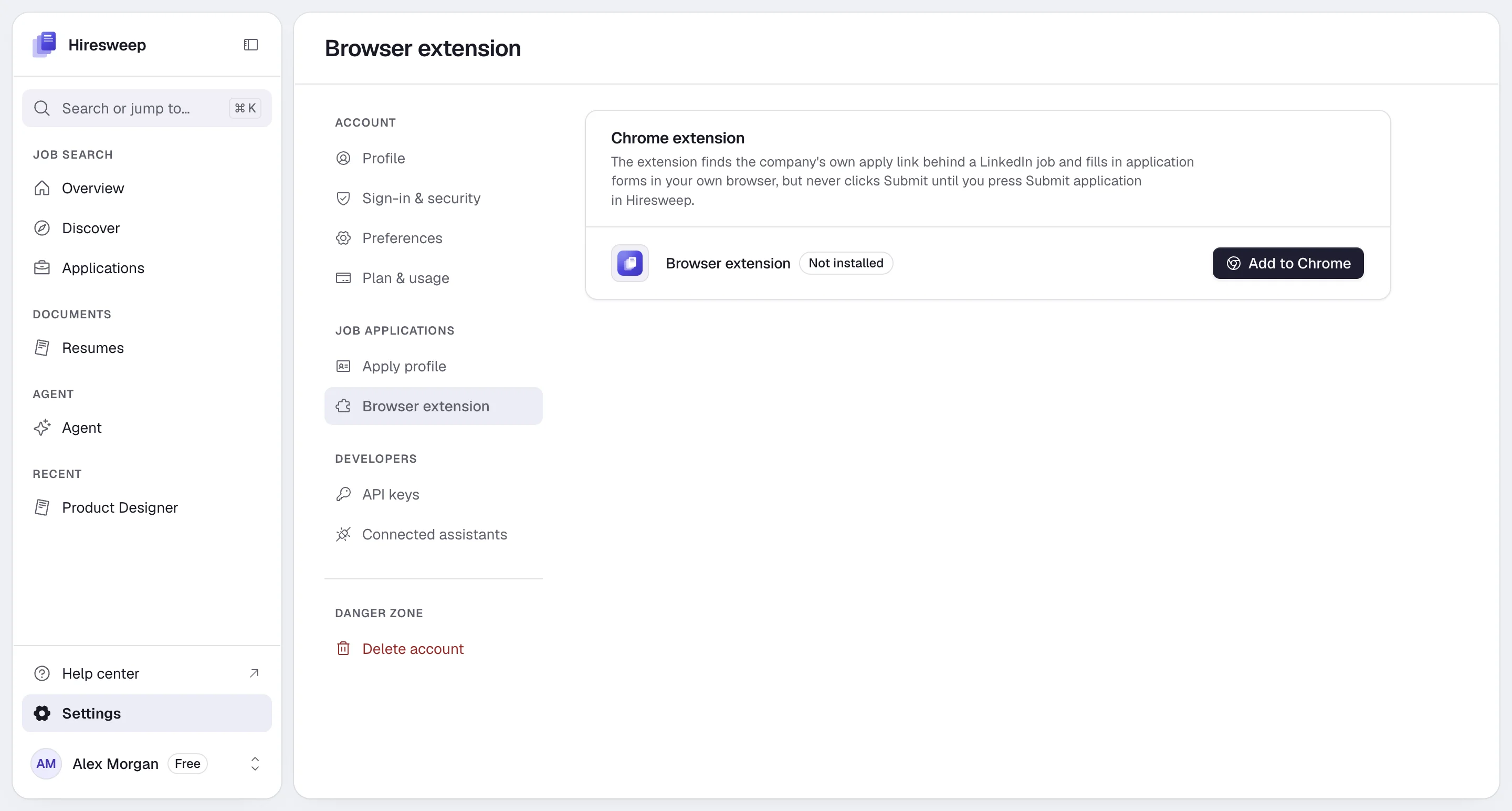
Select **Add to Chrome**. The Chrome Web Store opens.
Select **Add to Chrome** in the store and confirm. Chrome keeps the extension up to date.
Go back to the Hiresweep tab and reload it. The page shows **Installed** with the version number.
If the page shows **Download** instead of **Add to Chrome**, install it by hand:
Select **Download** and unzip the file you get.
Open `chrome://extensions` in a new tab and turn on **Developer mode** in the top right.
Select **Load unpacked** and pick the unzipped folder.
Go back to the Hiresweep tab and reload it. The page shows **Installed** with the version number.
An extension loaded this way doesn't update itself. When the page shows **Update available**, download the new
version, unzip it over the old folder, then press the reload arrow on Hiresweep in `chrome://extensions`.
The **Get set up** checklist on the **Overview** page links here with **Get the extension**.
## Allow filling on job sites
Chrome asks your permission before an extension can work on other websites. Filling forms needs that permission for job sites:
1. Select the Hiresweep icon in Chrome's toolbar (pin it from the puzzle-piece menu if you don't see it).
2. Select **Allow filling on job sites** and accept Chrome's prompt.
If you start **Fill in my browser** without the permission, Hiresweep shows **Allow filling**, which opens the extension's popup for you.
## The extension popup
Selecting the toolbar icon shows:
- Whether you are signed in to **LinkedIn**. Sign in to LinkedIn in the same browser to apply to LinkedIn jobs.
- Whether filling forms on job sites is allowed, with **Allow filling on job sites** until it is.
- The extension's version and **Open Hiresweep**.
## What the extension can and can't do
- It only answers Hiresweep pages. Other websites can't talk to it.
- It works only in the tab Hiresweep opened for the application.
- It never presses an employer's submit button unless you select **Submit application** in Hiresweep, or your [submit mode](https://docs.hiresweep.com/guides/setting-up-your-apply-profile#sending-applications) allows sending on its own.
- It doesn't hand your LinkedIn session or cookies to Hiresweep. Only the employer's apply link is sent.
- It holds no Hiresweep password or keys.
## Troubleshooting
Reload the Hiresweep tab after installing. Check that the extension is turned on in `chrome://extensions`.
An older copy of the extension, from before Hiresweep's rename, is installed next to the new one. Remove the old one
in `chrome://extensions` so the right one answers.
The **Applied** step shows **Install extension** or **Update extension** when the extension is missing or too old.
Install or update it, then reload the page.
Sign in to LinkedIn in the same browser. Jobs that only offer LinkedIn **Easy Apply** have no employer form to
fill, so Hiresweep can't apply to them.